PyroLedger
PyroLedger

Fireworks inventory with Subpart G recordkeeping

PWA for licensed manufacturers — immutable ledger, DSMT daily summaries, show pulls, QR labels, and audit-ready exports.

Private development for licensed premises — this site is not an application login. Hosted offerings may follow.

PyroLedger dashboard preview

Capabilities

Built for licensed premises

Operational workflows — receipts, manufacture, movements, show pulls, and daily seals — mapped to the records licensed manufacturers must maintain.

Immutable ledger

Append-only inventory transactions with product identity frozen at post time.

Every receipt, removal, transfer, show use, and adjustment is written once. There is no edit button on history — mistakes are fixed with compensating posts so the audit trail stays intact.

DSMT daily summaries

Live on-hand and activity exports plus sealed end-of-day summaries per magazine.

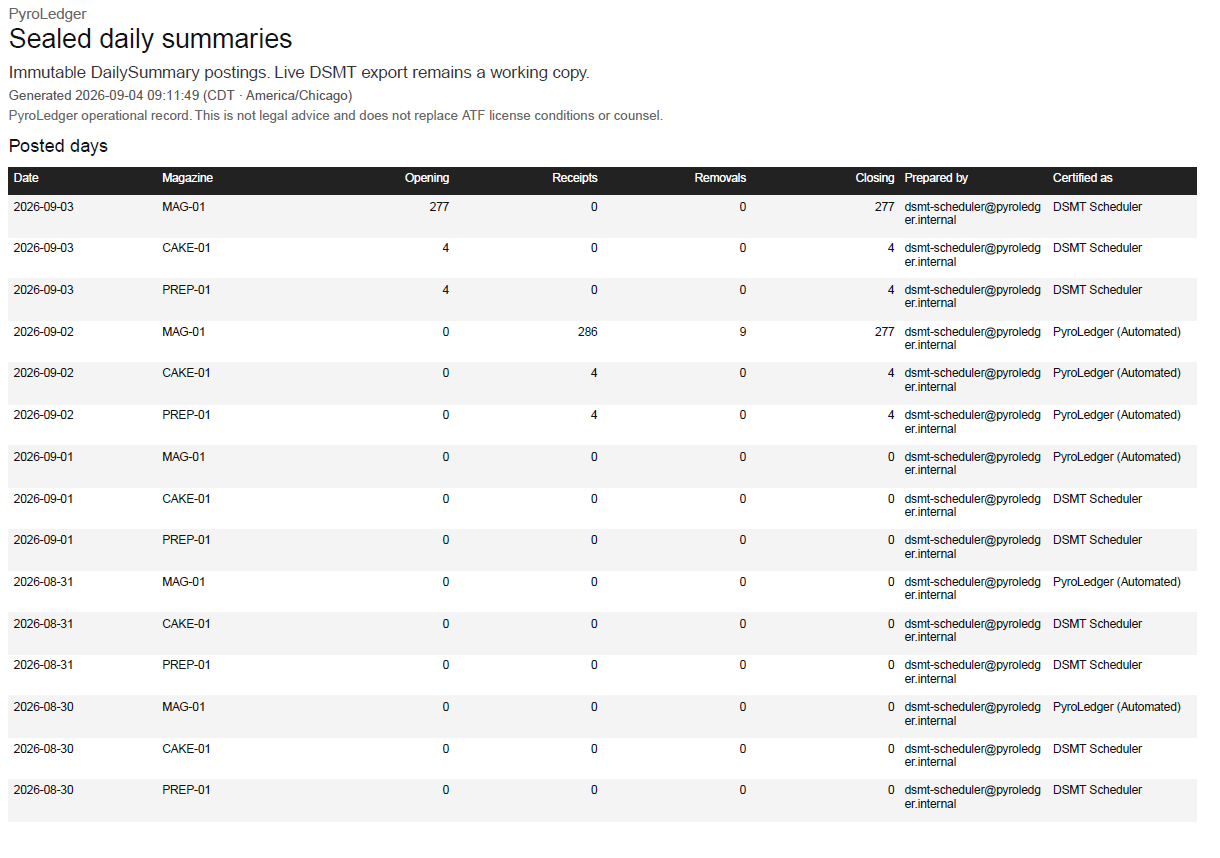
ATF P 5400.18 style activity sheets by magazine and brand · size · class, with running on-hand. Seal a day with a certified legal name, or auto-seal after midnight — sealed days refuse new posts.

Show pulls & costing

Stage stock for displays, freeze show-use cost, and print stored cost reports.

Stage reserves, pull freezes cost, dispose closes the display. Cancel and return post compensating rows linked to the original use — they never rewrite history — then print cost reports or a bill of lading.

QR labels & scan

Print product, lot, and case stickers; camera lookup in the magazine.

Installable PWA: prep the catalog on Wi‑Fi, then queue pack, unpack, and show-use when signal drops. Bring the app online again to flush the queue with the original post time.

Reports & audit

CSV and PDF exports for DSMT, inventory, registers, valuation, and audit log.

Timestamps and operational disclaimers on every file. An inspector role is read-only for ATF walkthroughs — inventory, reports, and audit without posting.

Hazmat BOL paperwork

Create hazmat bills of lading for show shipments and outbound transfers.

Shipping papers with proper shipping names, hazard class, EX numbers, NEQ, and net weight drawn from disposed shows and inventory — confirm classification before you roll.

27 CFR 555 Subpart G

How PyroLedger maps to recordkeeping

Licensed manufacturers must maintain acquisitions and dispositions, daily magazine summaries when applicable, and inventory that can be reconciled — and produce those records on request. PyroLedger organizes that work in one append-only system.

Acquisitions and dispositions
Append-only ledger for receipts, manufacture, removals, transfers, disposal, show use, and returns — with parties, quantities, and product identity frozen when each row is posted.
Daily summary of magazine transactions
Live DSMT on-hand and activity exports, plus sealed end-of-day summaries per magazine and date. After a day is sealed, new posts for that magazine and date are refused so live and sealed records stay aligned.
Inventory reconciliation
Transaction registers and physical-count adjustments with required notes that appear on DSMT activity lines — enough detail to reconcile dates, parties, descriptions, and quantities.
Product identification
Effects carry EX, brand, size, class, UN, NEQ, and net weight. Lots and date of manufacture are tracked where required; QR labels cover product, lot, and case identity without serializing every shell.
Produce records on request
CSV and PDF exports for DSMT, inventory, cases, registers, show cost, bills of lading, valuation, and audit. An inspector role offers read-only access for walkthroughs without posting.
Tamper-resistant history
There is no edit or delete on posted ledger history. Mistakes are corrected with compensating posts — adjustments, returns, and transfers — so the audit trail stays intact.

PyroLedger helps organize records for licensed fireworks manufacturers. It does not replace legal counsel, your ATF license conditions, or your responsible person's judgment. Full compliance overview →


Operations

A day in the magazine

One path from inbound stock to sealed daily records — the same workflow operators use in Quick start help.

  1. 01

    Receive

    Post purchases and manufacture into magazines — loose or labeled cases — with parties, lots, and cost layers on the ledger.

  2. 02

    Pull & scan

    Stage shows, pull stock, and scan product, lot, or case labels in the magazine. Queue pack, unpack, and show-use when signal drops.

  3. 03

    Seal

    Seal each magazine day with a certified legal name, or let auto-seal run after midnight. Sealed days refuse new posts so live and sealed stay aligned.

  4. 04

    Export

    Hand inspectors live DSMT, sealed summaries, registers, and audit exports — or walk the premises with a read-only inspector login.

Product UI

Day-to-day in the app

Captures from a demo instance — dashboard, stock, reports, and mobile scan / magazine mode.

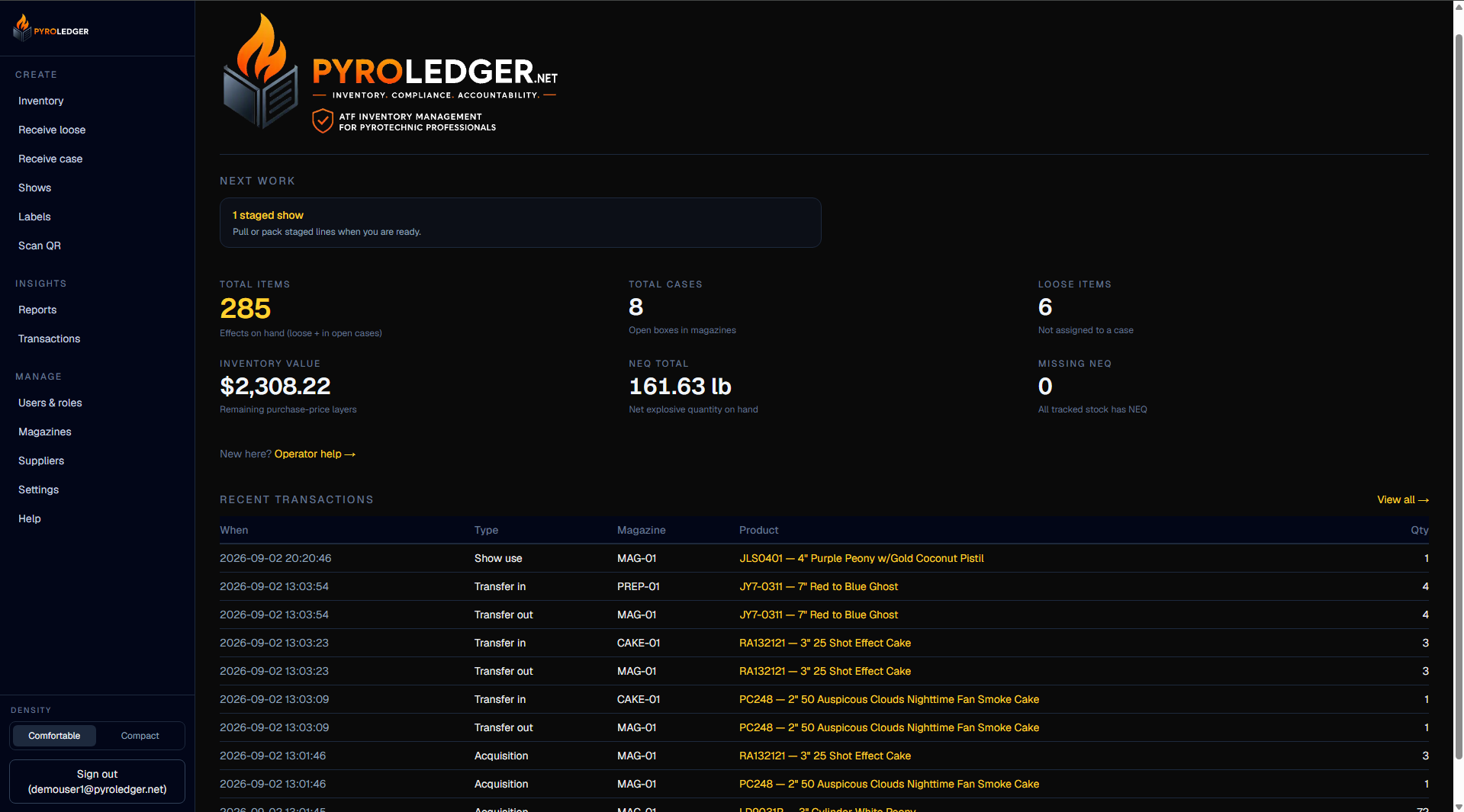
PyroLedger dashboard with navigation cards

Dashboard — inventory, shows, labels, scan, and reports hub

One place to reach receive, manufacture, movements, shows, labels, scan, and reports. A first-week checklist guides new installs until FEL, magazine, catalog, and a receipt are in place.

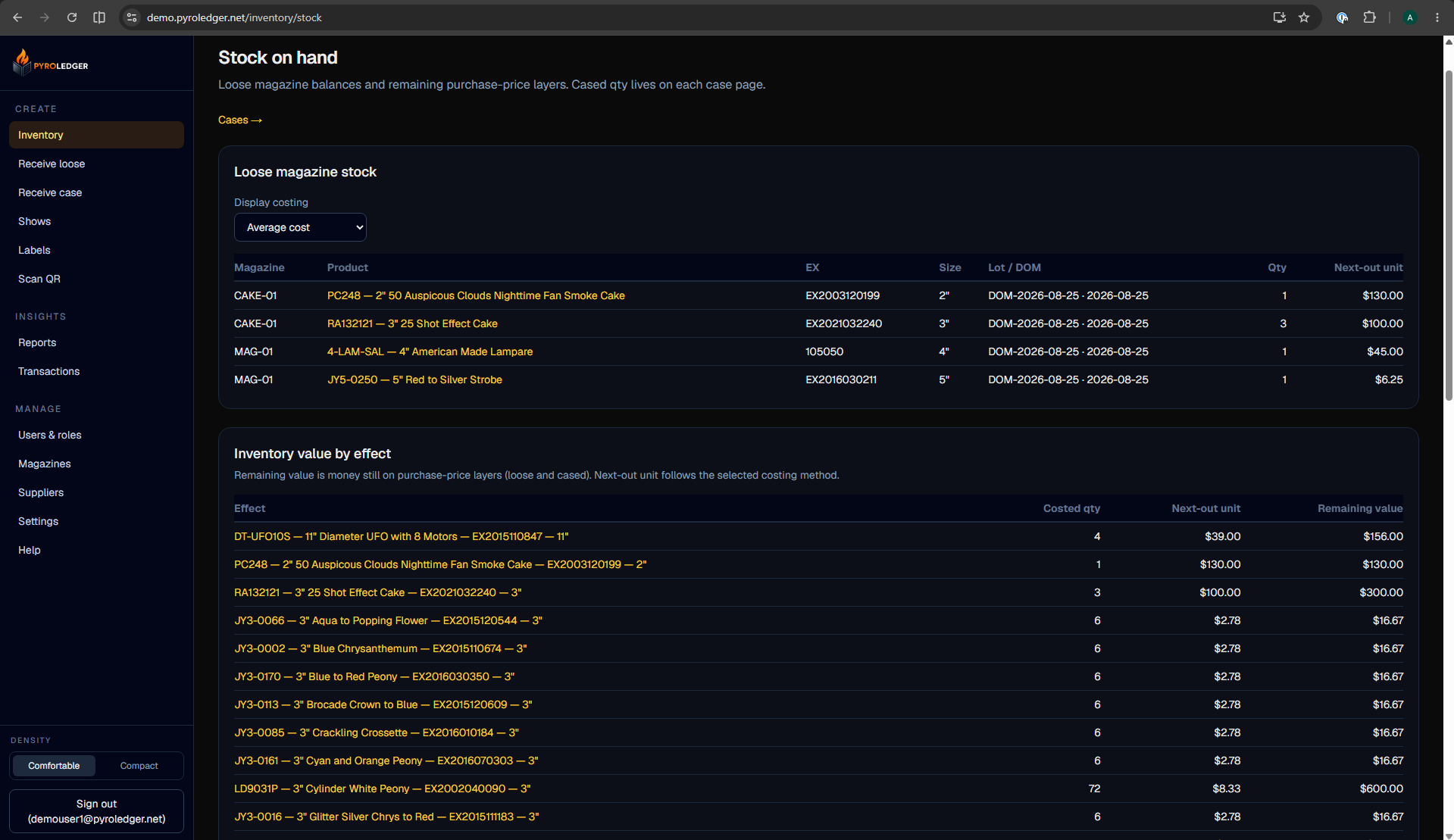
Magazine stock on-hand by product

Stock — on-hand quantities by magazine and effect

See loose and cased quantities by magazine without treating pack and unpack as magazine in or out. Working stock reflects the same append-only ledger that backs DSMT and exports.

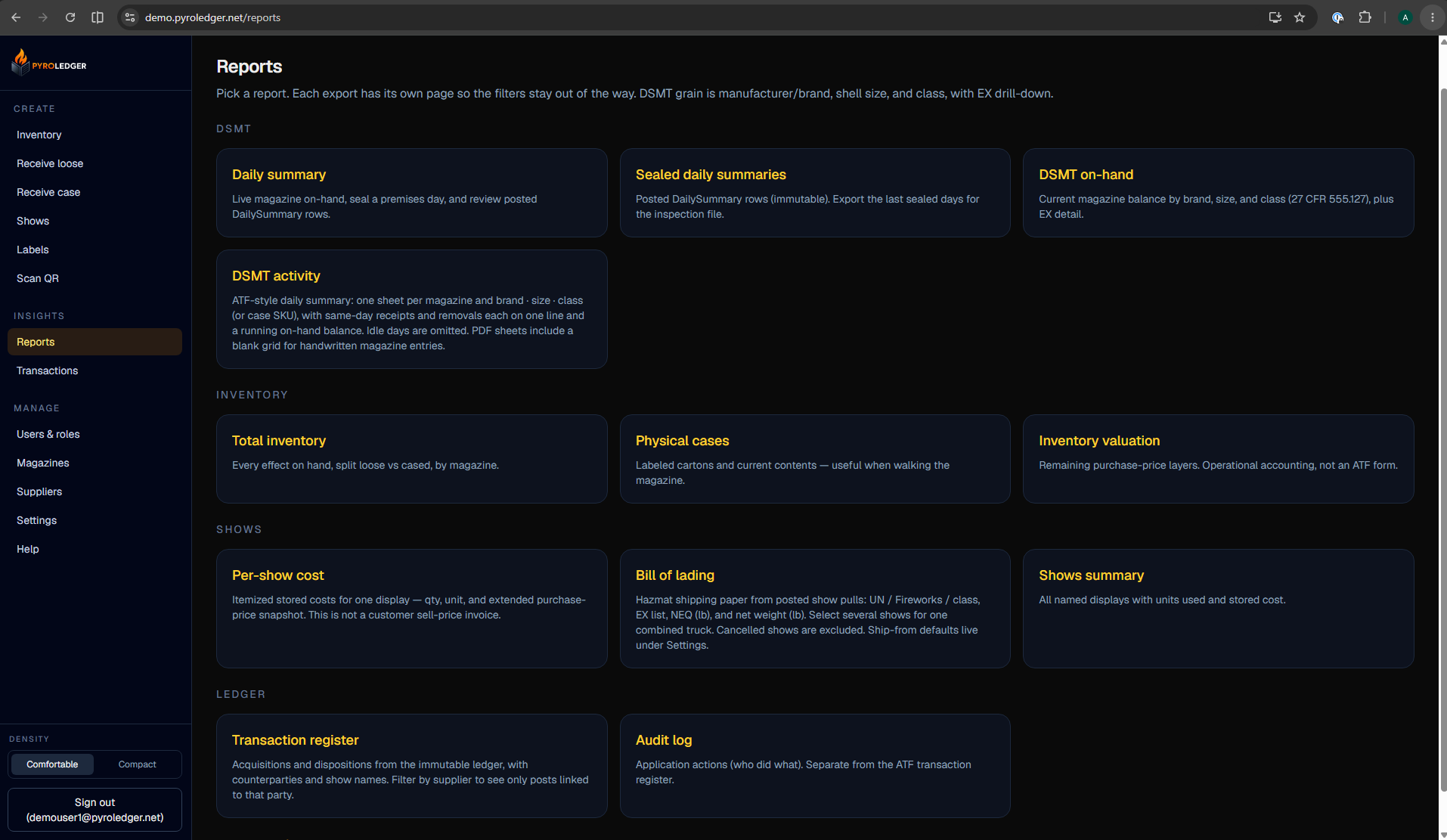
Reports export hub with DSMT options

Reports — DSMT, inventory, shows, and audit exports

Export live DSMT, seals, registers, inventory, valuation, and audit when you need a file for the premises or a walkthrough. Seal a magazine day with a typed legal name, or let auto-seal run after midnight.

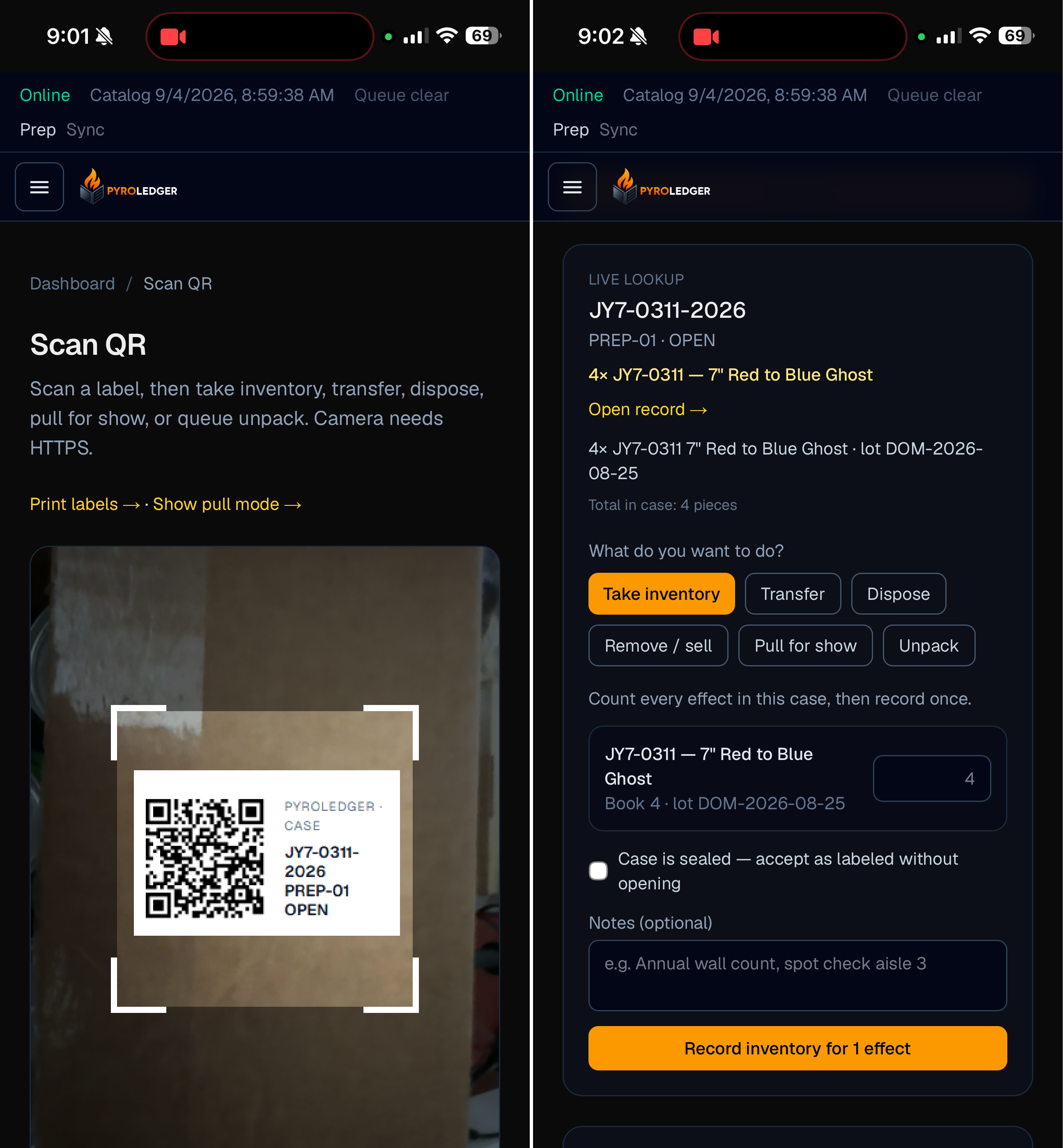
Mobile Scan QR camera view of a case label and live lookup with inventory actions

Scan — mobile magazine mode with live lookup

Scan a case or product label on the phone, then take inventory, transfer, dispose, pull for show, or unpack. Prep on Wi‑Fi and queue changes when signal drops — the offline queue posts when you are back online.

Also built for

Show design, multi-license, walkthroughs

Beyond the ledger — bridges and access patterns that show up once you are past Day One.

Finale3D FDB integration

Keep Finale3D inventory and quotas accurate with .fdb file synchronization. Exchange effects collections and quota data between PyroLedger and Finale3D without requiring a Finale Inventory subscription. PyroLedger remains the system of record for ATF identity and compliance data, while Finale3D retains show-design fields.

Multi-FEL magazines

Manage multiple FELs and premises in one system. Assign each magazine to its applicable FEL so manufacturing records, dispositions, and bill-of-lading ship-from information automatically reflect the correct license.

Inspector walkthroughs

An inspector role is read-only for inventory, reports, and audit — useful for ATF walkthroughs without giving posting access.

Compliance exports

DSMT sample reports

Live DSMT on-hand and ATF P 5400.18 style activity sheets — one sheet per magazine and brand · size · class, with running on-hand — plus sealed end-of-day summaries with a certified legal name. Aligned with 27 CFR 555 Subpart G recordkeeping. Samples use fictional demo data.

PyroLedger · Sample

MAG-A · Raccoon · 3" · 1.3G

DSMT daily activity — fictional demo data

DateTypeDescriptionInOutOn hand
2026-08-21ReceiptRaccon RC-3A Assortment · 6/127272
2026-08-28Show useFiremarshal Demo · 3" · Show: Labor Day270
2026-08-29Transfer inFrom MAG-B · 3" · Assortment RC-3B2494
2026-09-03DisposalWater Damage · 3"1480
2026-09-07Show UseShow Use: Labor Day · 3"800
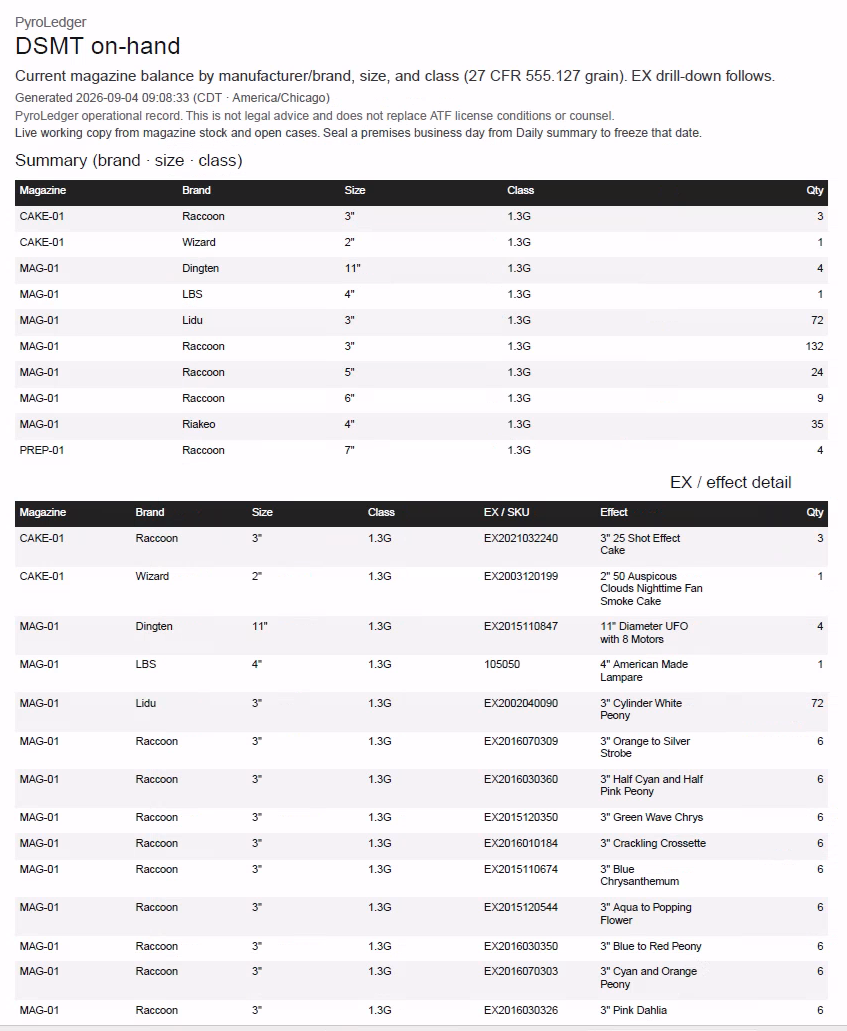
DSMT on-hand preview

DSMT on-hand

Current magazine quantities grouped by brand, shell size, and hazard class.

Download sample PDF
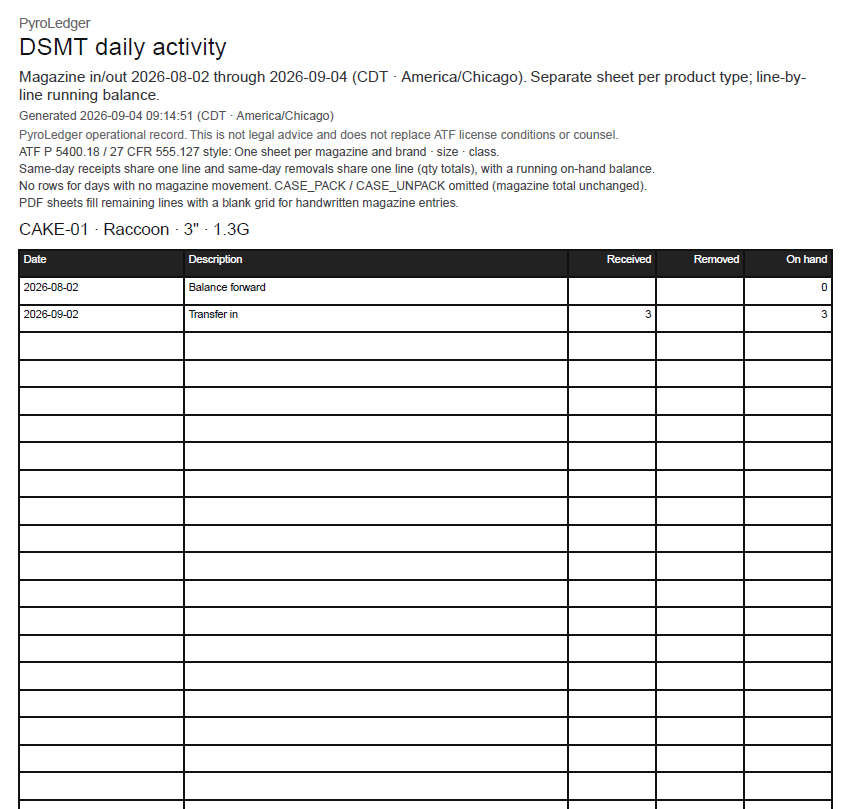
DSMT daily activity preview

DSMT daily activity

ATF-style ledger with in/out lines and running on-hand per magazine group.

Download sample PDF

Private development

Get in touch

PyroLedger is built for licensed fireworks manufacturers on private premises networks. Email us if you want to hear when hosted offerings or demos open up. This site is not an application login.

[email protected]